
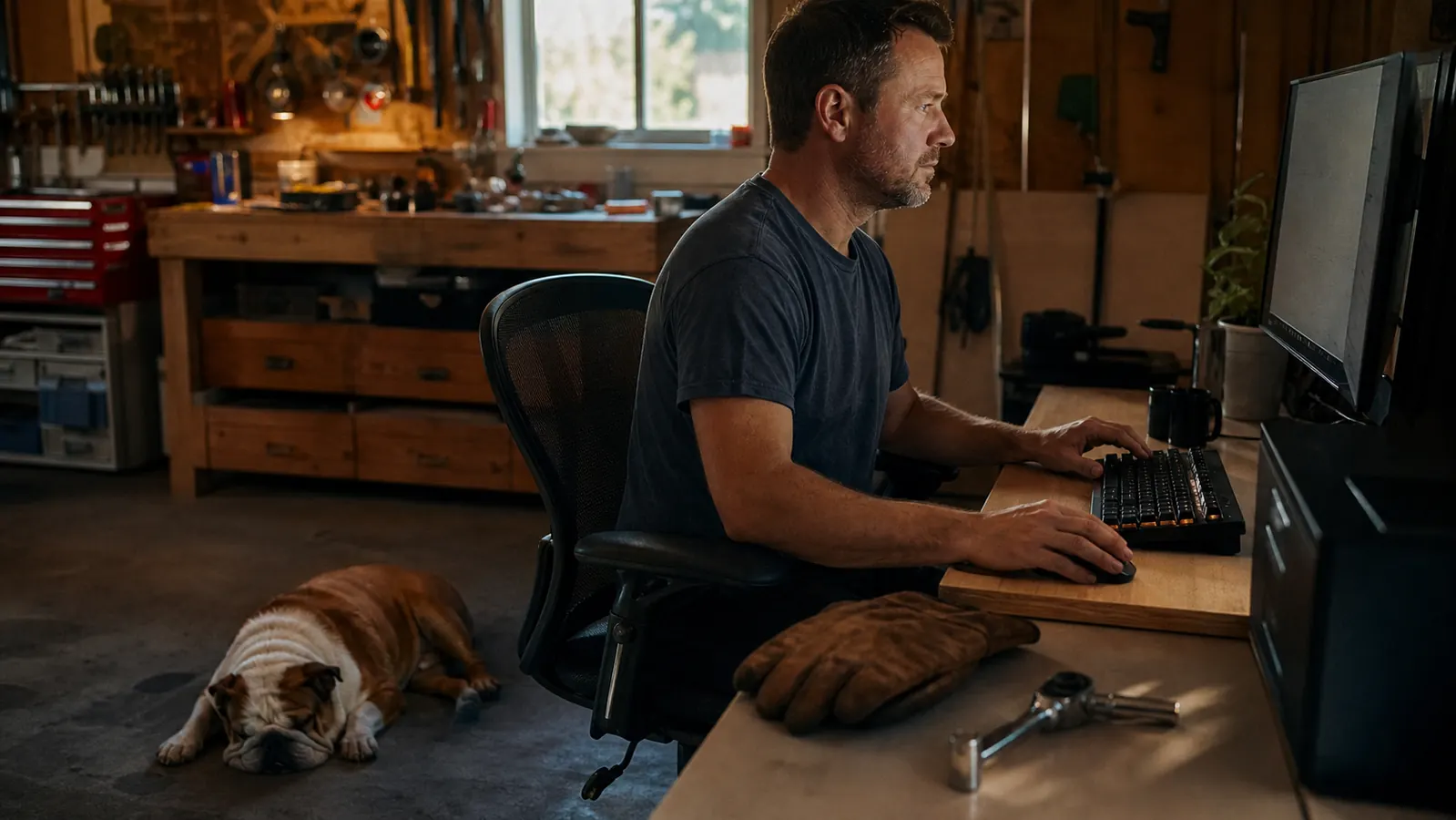
I spent most of my working years turning wrenches on heavy equipment, so I figured a desk job would be the easy part. Three months into running my parts and customer calls from a home office in the garage, my right wrist was singing every night. The dull ache ran from the base of my hand up into my forearm, the same way a bad torque wrench feels after a long day. The first thing I blamed was the keyboard. The second thing I figured out was that the keyboard was only half of it.
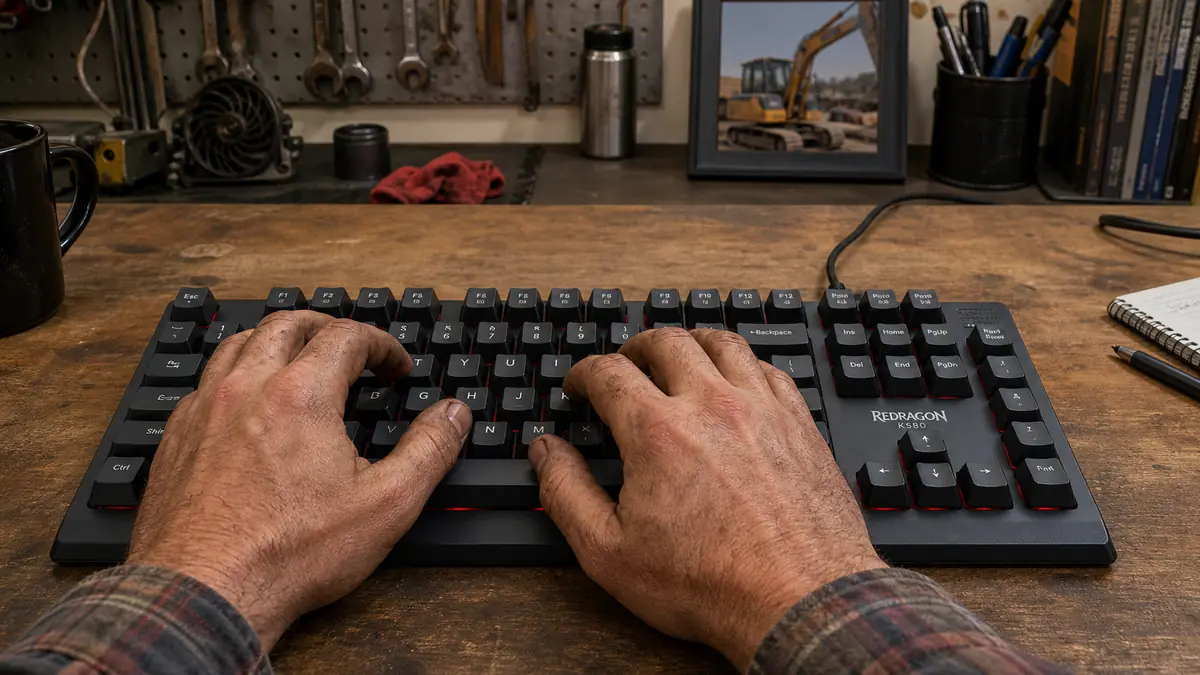
The cheap rubber-dome board I'd grabbed at the store was built to be tossed, not used. The keys took a hard push to register, so I was slamming them all day, and the whole thing was so light my hands slid it around the desk. I swapped to a Redragon K580 mechanical keyboard, and that helped. But the real fix came when I set the thing up right. Here's the exact way I did it, in the order I did it, so you don't teach your wrist the same bad habits I did.
Start With a Keyboard Built Like a Real Tool
You can't fix your wrist sitting at a flimsy board that makes you hammer every key. A Redragon K580 mechanical keyboard registers a press with barely any travel, so your hands stop slamming. That's the foundation every step below builds on.
Amazon Check Today's Price on Amazon →Step 1: Set the Height So Your Wrists Stay Straight
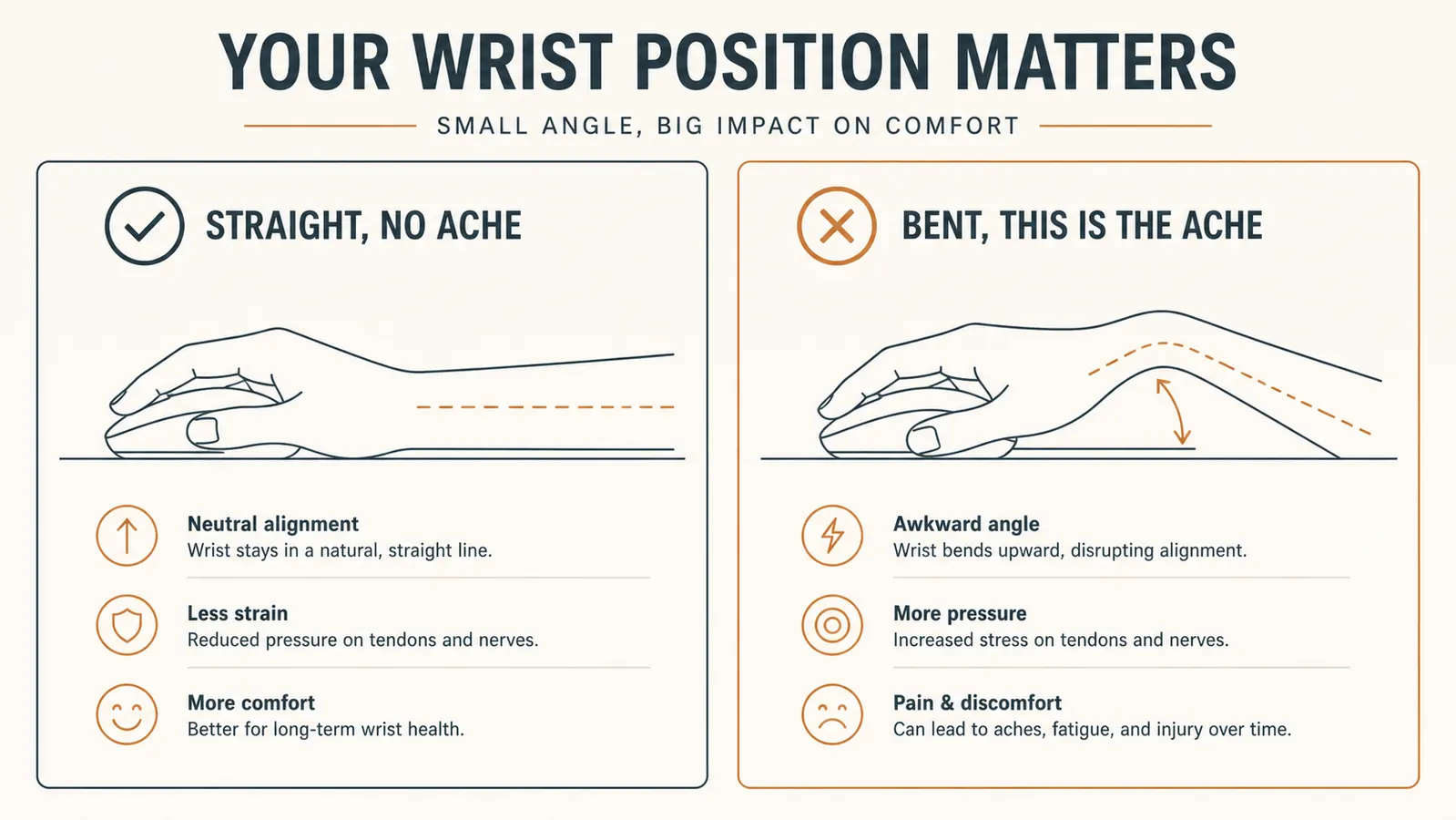
Before you touch a single key, look at your wrists. When you're sitting at the desk, your forearms should run level, straight from your elbows to your fingertips, with your wrists in line with them. If you have to reach up to the keys, or if your wrists are bent back to type, that's where the ache starts. It's the same as a lift with a bent wrist: the joint is doing the work a straight line should be doing.
So first fix the chair and the surface, not the keyboard. I set my seat so my elbows sit about level with the desk, and I made sure my feet were flat on the floor. My garage desk is a heavy old workbench, so it was already the right height for my arms. The K580 is a full-size board with its own little legs under it. I started with those legs down (the board flat), because a keyboard tilted up forces your wrists back. Keep it flat and low, at the same height as your elbows. That one change took half the tension out of my forearm by the end of the first week.
If your desk is too high and you can't lower it, sit higher. A clean 2x4 under a couple of good casters is a fine fix for a temporary setup, but don't rig your body to fit a bad desk. Your wrists pay for it at the end of the day.
Step 2: Use a Switch That Doesn't Make You Smash
Here's the part most people never connect. On a rubber-dome board, a key doesn't register until you press it most of the way down. So you press hard, and you press all the way, every single time, thousands of times a day. That hammering is pure wear on your wrist. A mechanical keyboard works different. It registers the keystroke partway down, with a clean, honest clack you can feel, so you don't have to drive it to the bottom.
The Redragon K580 I run came with tactile switches. You get a little bump about halfway down and the key fires right there. My fingers learned in a day or two to type light, to let off the moment that bump hits. That's the whole trick: you're not punching the desk anymore, you're tapping a key that answers you. If you want an even lighter touch, you can look for a linear switch model, which has no bump and fires smooth all the way through. But for a first mechanical board, the tactile bump is easier to train your hands on.
Small side note while we're here. The K580 has a volume wheel up top and a few macro keys, which I figured I'd never touch. Turns out that wheel earns its keep on video calls, you spin it instead of fumbling with a slider while a supplier is mid-sentence. Not the reason you buy the board, but a small thing that makes the daily grind smoother. A tool that does its job with nothing in the way is the whole point.
One honest note: a mechanical board is louder than a rubber dome. If you're on video calls, your customers will hear the clack. It never bothered me, my garage already sounds like a toolbox being dropped, but it's worth knowing going in. The trade is worth it for your wrist.
Step 3: Keep Your Wrists Floating, Not Planted
This is the lesson that cost me a month. I used to rest my wrists on the desk edge while I typed, thinking it took pressure off. It does the opposite. When you lean on your wrists, the tendons on top get squished against the desk, and you end up bending your hands back to reach the keys. That flattened, pressed position builds the ache faster than anything else.
Instead, float your hands. Let the weight of your arms rest on your elbows and forearms, and keep your wrists hovering over the board, straight in line with your hands. It feels odd for a week, then it becomes normal. The K580 has a built-in palm rest that I take advantage of between bursts of typing, resting my palms there when I stop to read a parts list, but I take them off the rest the moment I'm typing again. Think of the palm rest as a place to park, not a place to lean.
If your forearms are resting on a hard desk edge, lay a strip of something soft under them. An old shop rag rolled up works fine. The point is your elbows and forearms carry the weight, never your wrists.

Step 4: Give Your Hands Room to Work
A cramped desk makes you reach for everything, and reaching is what strains your wrist and shoulder. I used to keep my mouse shoved up against the keyboard so I could grab it fast. Bad call. Your mouse hand should sit out to the side, about a shoulder's width away, so your arm stays straight and your wrist stays flat when you move it.
Same goes for the keyboard itself. It should sit dead center in front of you, not off to one side, so you're not twisting your torso to type. On my bench I laid out a spot for the K580 and a spot for my mouse and I don't crowd them. The full-size board takes up real estate, which is a feature here. You want your hands to have a clear lane, not a squash match.
While I'm at it, watch your mouse hand too. I wrote up a whole other guide on swapping to a vertical mouse for the daily parts-clicking grind, and if your wrist acts up on the mouse side, that's the read for you. The keyboard fixes the typing half, the mouse fixes the clicking half, and you usually need both.
Before I moved the mouse, I also cleared the clutter off the bench around the board. I had a parts catalog, a coffee mug, and a grease pencil all crowding the typing lane, and I was contorting my arm around them all afternoon. Give the keyboard and the mouse each a clear, flat lane and nothing gets in the way. It sounds like housekeeping, but it is posture, just wearing a different coat.
Step 5: Learn to Listen to the Ache Early
The last step isn't about gear at all, it's about habits. My wrist didn't hurt the first hour. It hurt at midnight, after six hours of typing. That's the trap: the ache shows up late, so you don't connect it to what you just did. Same as running a crusher all day and wondering why your low back talks back that night.
So I started setting a kitchen timer for every forty-five minutes. When it dings, I get up, shake my hands out like I'm flinging water off them, and stretch my fingers back. Thirty seconds is all it takes. I also do a quick one every time Dozer gets up to go check the yard, which turns out to be about every hour, so the dog keeps me honest. The point isn't the exact interval, it's that the breaks actually happen instead of getting skipped because you're in the middle of something.
Let me be straight about one thing before you spend a nickel. No keyboard, not even a good mechanical one, will fix habits you refuse to change. If you still hunch forward, lean on your wrists, and skip every break, a nicer board just delays the ache. It's a tool that makes a good setup work better, not a crutch for a bad one. That's how I think about every piece of expensive equipment I own, and it's how I think about this one.
If the ache ever wakes you up at night or runs all the way up to your elbow, skip the internet and go see somebody. A stiff wrist from a long day is one thing. Pain that won't quit is a doctor problem, not a keyboard problem. I'm not a doctor, I'm a mechanic, and I know when a part needs a professional.
The flimsy board made me hammer every key for three months. On the Redragon K580, a key fires off that clean little bump halfway down, and my fingers learned to type light in about two days. That's what took the ache out of my forearm.
What Else Helps
The keyboard setup is the biggest piece, but it's not the whole picture. Three other things pulled their weight for me. First, I stopped hunching. When your shoulders roll forward to get closer to a low screen, your wrists follow and bend. I raised my laptop up to eye level on a proper stand so my neck and shoulders stay stacked, and my wrists stopped getting dragged into a bad angle. Second, I quit gripping the mouse like a hammer. I used to white-knuckle it, and all that tension ran straight down my forearm. Loosen your grip and let the weight of your arm do the work.
Third, and this sounds too simple to matter, I light the desk so I'm not squinting. Squinting makes you lean in, which crowds your hands and bends your wrists. I threw a monitor light bar on top of the screen to cut the glare and the gray squint-session that came with it. Fix the keyboard, fix your posture, fix the light, and by the end of the month you barely think about your wrist at all. That's the goal. You shouldn't have to think about a tool that's doing its job.
If you're still deciding whether a mechanical board is worth the swap off a rubber dome, I get it, they cost more than the checkout-lane special. I broke down the whole case for it here, from durability to the fact that it doesn't make you punch the desk. It earned its place on my bench, and I'm hard to please.
Quit Punching Keys and Give Your Wrist a Fair Shot
Six hours of typing a day shouldn't end with a stiff forearm. A Redragon K580 mechanical keyboard fires its keys light and honest so you stop slamming, and set up the way I've shown you, it's a flat-out easier day. Check today's price and meet me back at the bench.
Amazon Check Today's Price on Amazon →