

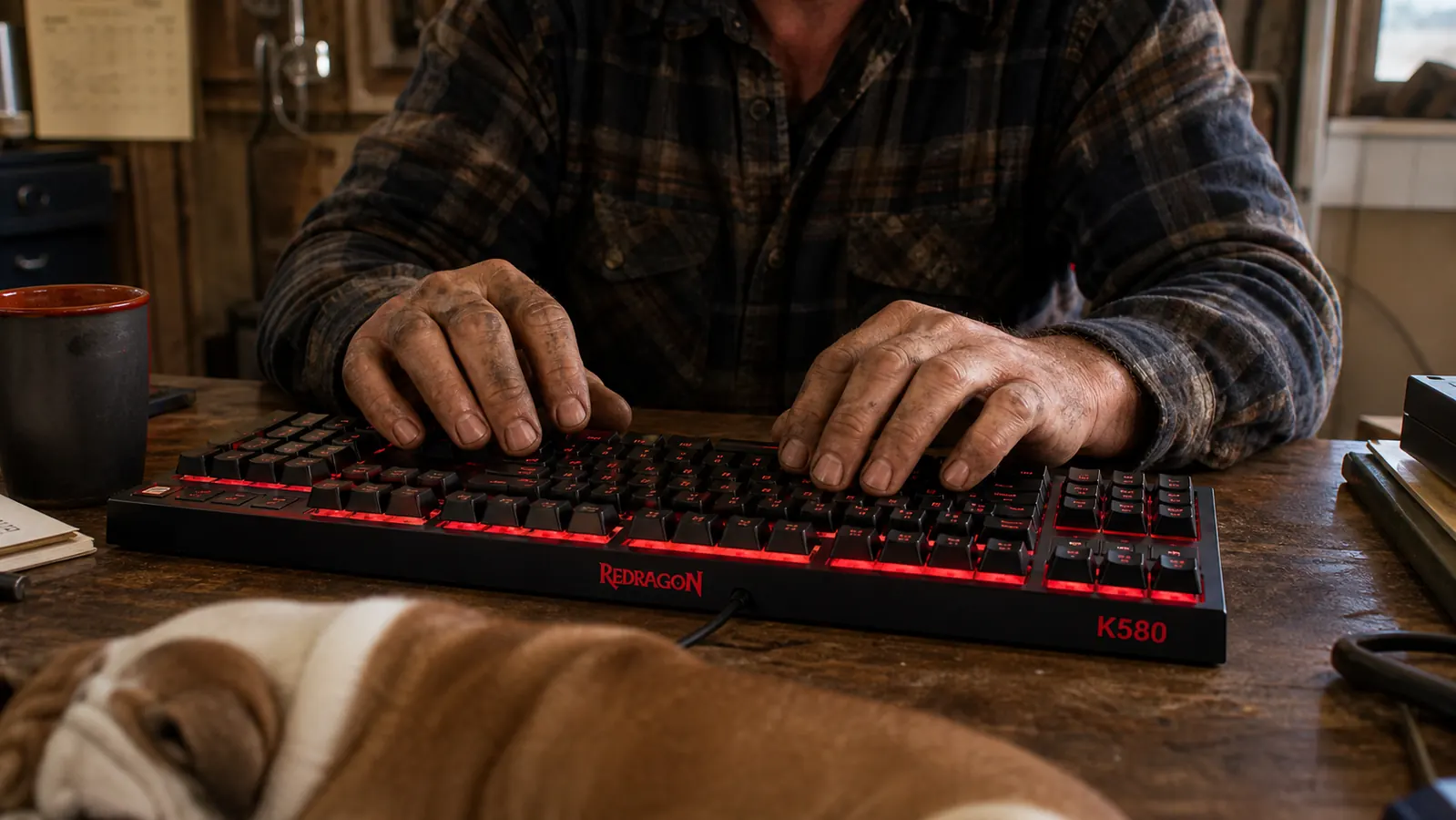
This is the honest answer to the question I get asked more than any other about the desk I built in my garage last winter: is a mechanical keyboard like the Redragon K580 actually worth the swap over one of those cheap keyboards that comes in the box with a computer? I've had both on the same workbench. The cheap rubber dome board sat there through my first month of home office work, and the Redragon K580 has sat there for every day since, which is parts orders, invoices, video call notes, estimates, and the thousand small slips of hunt and peck that come with running a one man shop that also restores old hot rods. I can give you the short answer up front so you're not reading the long one hoping for a twist. It's worth the swap if you type for a living. It is not worth it if you touch a keyboard twice a month.
That split is the whole argument, and it's worth explaining before we get to the table, because most people who ask me this are comparing a tool they've never owned with a tool they've owned their whole life without thinking about it. I judge a keyboard the same way I judge a ratchet. Does it hold up, is it built right, does it earn its place on the bench. The cheap board did none of those things, and I didn't notice it failing, which is the sneaky part. Dozer, my bulldog, asleep on the concrete next to the desk, never cared about any of it, but then he doesn't type.
| Redragon K580 | Cheap Membrane Board | |
|---|---|---|
| Switch mechanism | A real mechanical switch with a spring under every key | A rubber dome pad you squash down against a contact |
| Feel after a year | Same firm stop as day one, a consistent register | Goes soft and mushy, you press harder without noticing |
| Build | Metal top plate, real weight, no flex in the middle | Plastic tray that bows when you push near the center |
| Key letters | Still legible after a year of daily use | Lettering wears off the most used keys |
| Noise | Noticeable click and clack that carries across a room | Nearly silent, just a soft thump with each press |
| Price up front | Costs more, one time | Usually free or nearly so when it ships with a computer |
| What it lasts | Built to be a long term desk tool | Planned to be replaced |
Where the Redragon K580 Wins
The first and biggest place the K580 wins is the switch itself, the actual mechanism under the key. A membrane keyboard does not have a real spring under each key. It has a rubber dome, a little mushroom of rubber that you squash down against a contact, and that rubber is what gives the key its resistance. It feels fine on the first day, soft and quiet, and that is exactly the trap. A sponge loses its spring. After a few months of real daily volume, that rubber dome goes soft, and you start pressing harder without realizing it, because you are not getting the response you used to. By the end of a year it is mush, and your fingers are doing double the work to get the same result. That is the thing I want you to understand most of all, because it happens so slowly you never catch it happening.
The K580 has a real mechanical switch under every key, the kind with an actual spring and a firm, honest stop at the bottom of the press. You can feel it land, and you can hear it land. That register has not changed on mine in a full year, and that consistency is the entire point of the comparison. A mechanical switch says the same thing at the end of the year it said at the start, and a rubber dome does not. For a man who has spent his whole life trusting tools by how they feel in the hand, that sameness is the whole ballgame. It is the difference between a switch you can count on and a switch you have to negotiate with, and I've spent enough years at a bench to know which one I'd rather live with.
The build is the second win, and it's the part you notice the moment you pick the K580 up. It has a metal top plate that gives the board real weight, and that weight plus that stiffness means it does not give under your hands. When I push a key near the middle of the board, the board underneath does not flex, not half a millimeter. Mine sits on a workbench that is not perfectly level, because no honest workbench is, and the rubber grips on the underside hold it flat and keep it from crawling while I work through a long stretch of numbers. The cheap membrane board bows in the middle when you press it hard. It slides around. It feels like a plastic toy that happens to have keys. That difference shows up in the first five minutes, not in year two. It is the same difference between a tool with a proper steel shank and a piece of painted stamped metal that only looks the part until you put a real load on it.
Where the Cheap Membrane Board Wins
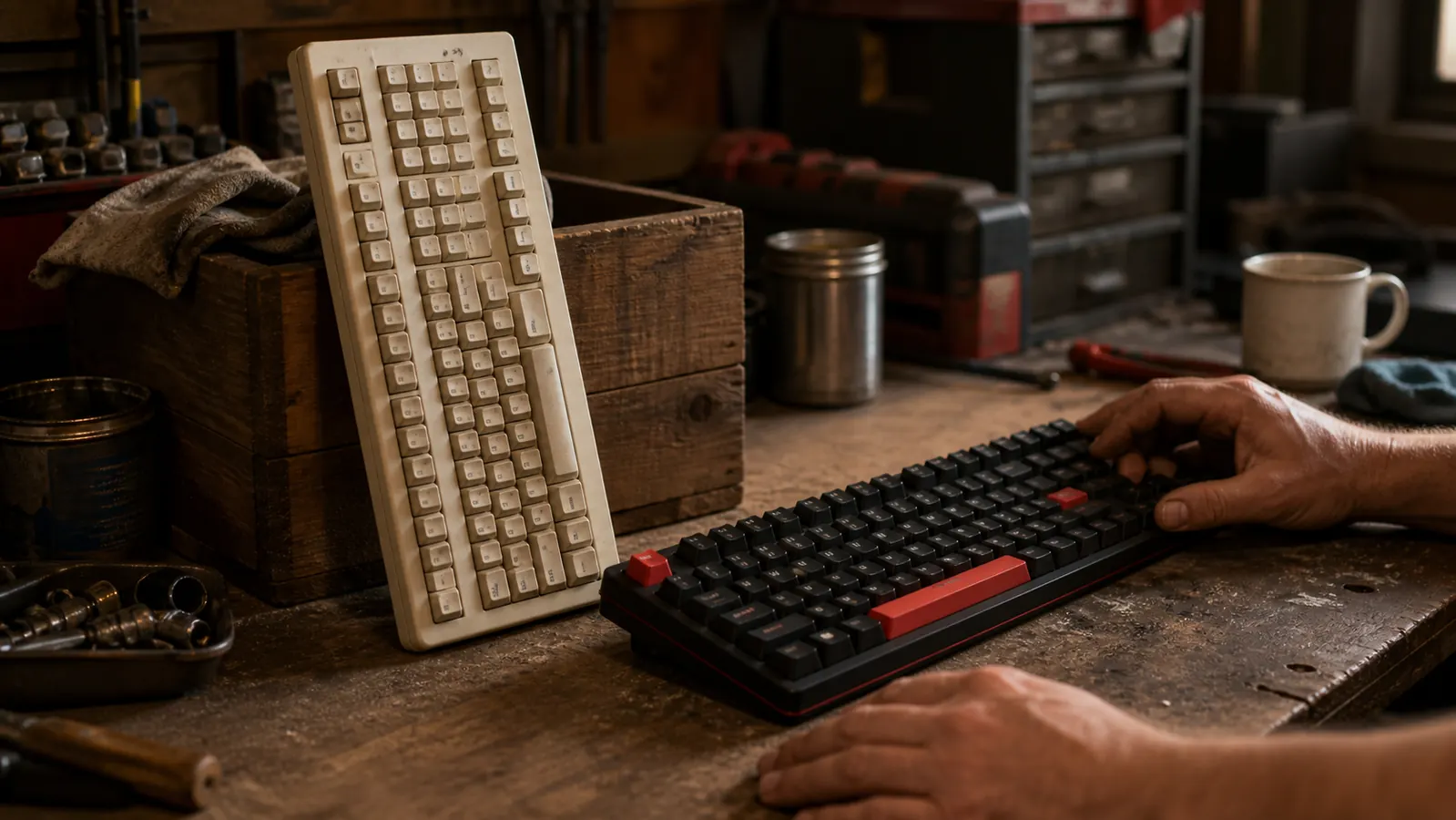
Now the part that surprises most people who expect me to wave off the cheap board entirely. There are two honest places the membrane keyboard wins, and a wise man owns up to both. The first is price. A rubber dome keyboard is either free, because it came in the box with your computer, or it is a few dollars off a shelf. The K580 costs meaningfully more, no two ways about it, and if money is tight and typing is a small part of your week, that extra up front is hard to justify. I never tell a man he has to spend on a thing he does not actually need. We are not buying 'a productivity tool', whatever that means, we are buying a heavier keyboard, and heavier costs more.
The second place the cheap board wins is noise, and this one matters more than the price to a lot of people. A membrane keyboard is quiet, nearly silent, just a soft thump with each press. The K580 is not. It clicks, it clacks, it has a working rhythm to it that you will hear across a room. For a guy alone in a garage with a sleeping bulldog, that sound is fine, even pleasant, the way a well tuned tool that is doing its job sounds good. But if you share an office with somebody on the phone all day, or you do late work while somebody sleeps nearby, the click and clack of a mechanical board gets old fast. That is a real tradeoff, and I won't pretend it is not. It just is not a tradeoff that means anything to a man who types alone at a garage bench.
And there is a third thing worth saying, even though it does not any longer bother me. The K580 asks a little more of you on setup if you want the extras. The macro keys along the left edge can be programmed, but that means dealing with a software utility that is clunky and dated, and I gave up on it after setting up one keystroke. The cheap board has no such page in a manual, because there is no manual and there are no extras. If your idea of a keyboard is 'plug it in and it works', both of them do that, but only the plain one stays plain forever without you having to ignore a software download that nags at you. It is a small nuisance, and the board works perfectly fine if you never open the program, but an honest comparison mentions it so you are not surprised.
If you type for a living and you're done fighting a mushy board, this is the swap I'd make again.
The K580 has held up on my bench for a year of daily orders and invoices, and it still feels exactly like it did the day it arrived. See today's price and check current stock on Amazon.
Amazon Check Today's Price on Amazon →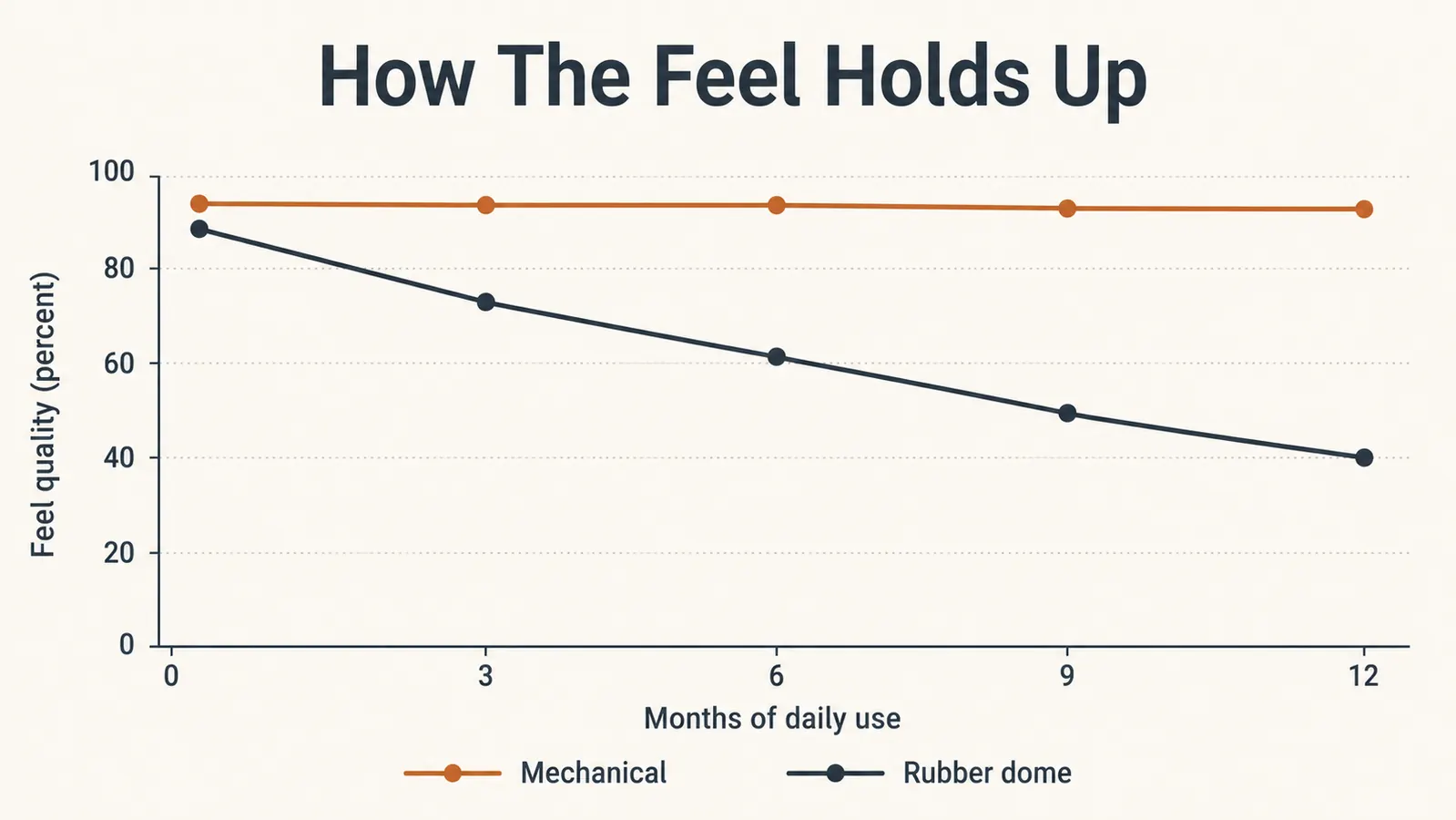
What a Year of Both Taught Me
The most honest way to describe the whole comparison is with the tool test I've already mentioned: does it earn its place on the bench. The cheap membrane board lived on my bench because it was already there, not because I wanted it there. It did the job after a fashion, and it never once made me think about it, and that indifference is exactly what a poor tool gives you. It does not break loudly. It just quietly stops doing its part of the work well, and you adapt to it, and you never realize you are the one working harder to make up the difference. Years of shop keyboards went that same way, and I only understood what had been happening once I had something better to compare it against.
The K580 is the opposite. It is not glamorous and it makes no promises it can't keep. It is heavy, it is honest, and a year in it still types exactly as firmly as it did on day one. It earns its place every single day, and a tool that earns its place every day is a tool you stop thinking about, because it never gives you a reason to. That is the whole difference between the two, and it has nothing to do with brand names or fancy features. It has to do with whether the thing under your fingers is doing its share of the work or making you do extra on its behalf. One of these did my share for me. The other never did, and never meant to.

Who Should Buy Which
The line between the two is not about being a gamer, or a 'power user', or whatever label the internet used this year. It is about volume, plain and simple. If your day at a desk is invoices, order entry, estimates, and email, the way mine is, and you are putting real hours into your hands every week, the K580 earns its higher cost inside the first month, because your fingers are doing less work and the board is going to be here next year still typing the same way. If you only touch a keyboard to check the weather and answer the occasional note, then a membrane board pressed into service from an old computer is fine, and you should not spend the extra money. There is no shame in that call. It is just matching the tool to the job, the way you would not buy a second set of impact sockets for a job a crescent wrench does.
If you want the long, everyday version of this exact trade, I went through it in detail in my long term review of the Redragon K580 after a year of daily use. And if you want the unfiltered account of what wears out and what does not, the keycaps and the noise and the stuff I'd happily gripe about, my honest review of the K580 has it all laid out. The short version for most first time home office people is this: if you plan to make this desk your workspace, buy the mechanical one once and stop thinking about keyboards. If the desk is a sometimes thing, keep the cheap one and don't apologize for it. Either way you're making the right call for the hours you actually put in, and that is the only measure that matters.
Buy the one tool on the desk that outlasts the work.
Weigh the volume of your own typing, and if it's real, the K580 is the keyboard I'd put my money on again. Check today's price on Amazon.
Amazon Check Today's Price on Amazon →