
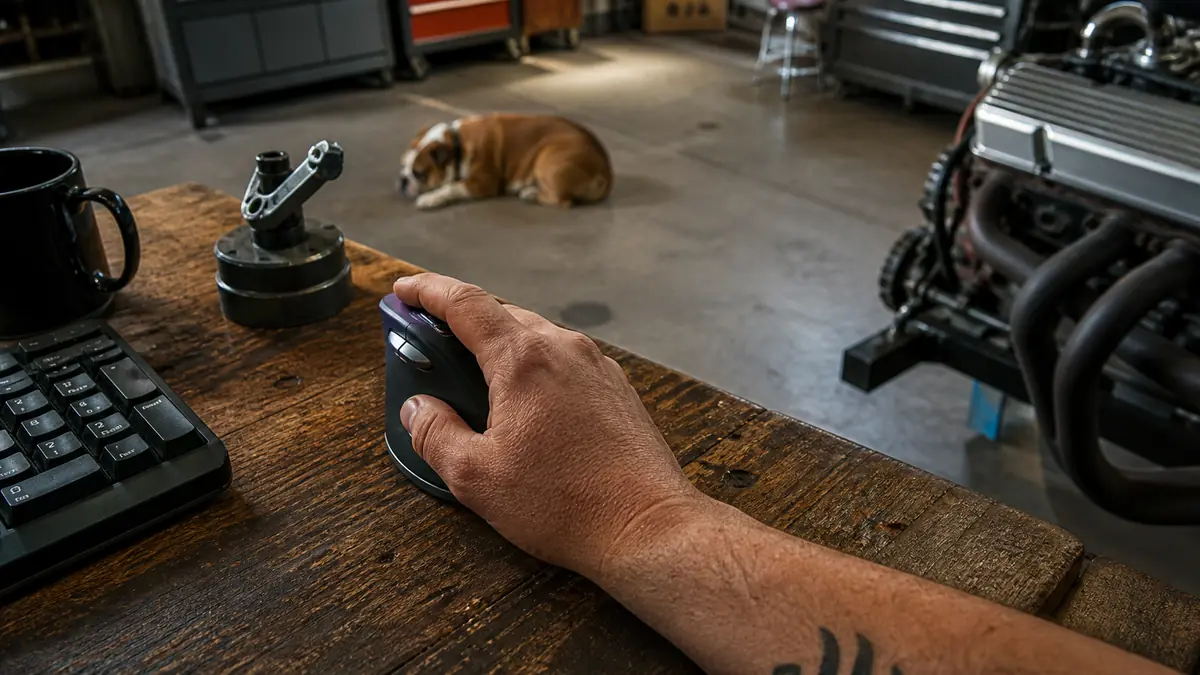
Before we get into the steps, the tool I am writing about is the Logitech Lift vertical mouse. I am not a brand man, but I want you to know exactly what sits on my bench, because the steps only make sense if you are holding the same tool.
About a month after I moved my paperwork off the kitchen table and onto a proper desk in the garage, I started waking up with a dull ache running up the outside of my right forearm. Not the kind of pain you get wrenching on an old carburetor all afternoon. This was different, a low, gnawing soreness that showed up after a day of sitting still and clicking and typing. I'd never once hurt myself doing the heavy lifting with my hands. It was the tiny, repetitive mouse work that got me.
I tried the usual things first. I stretched more. I switched hands for a week, which just felt clumsy and wrong. I even sat a fat rubber band under my wrist like some guy on the internet swore by. None of it touched the ache. I figured if I just pushed through, the way I do with a tight bolt that needs a longer breaker bar, it would sort itself out. It didn't. Turns out the problem wasn't my grip at all. It was the flat, low angle a regular mouse forces your wrist into, eight hours a day, day after day. The fix was changing the tool, not fighting through the pain, the same way I'd never keep wrenching with a worn-out socket when a new one is sitting in the tray. Here's the exact setup I used, step by step, so you don't spend a month sore before you figure it out the way I did.
The vertical mouse that took the ache out of my forearm in about a week
The Logitech Lift is the ergonomic vertical mouse I set up in the garage, and it's the one piece of gear that actually stopped the soreness. It's not a cure for everything, but for flat-mouse strain it earns its place on the bench.
Amazon Check Today's Price on Amazon →Step 1: Clear the desk and find your natural resting spot
Before you buy anything, sit down at your desk the way you actually work, not the way you think you should. Let your right arm hang completely loose at your side. Now bring your hand up to the desk without lifting your elbow. That relaxed, comfortable spot, where your palm naturally sits, is where your mouse needs to live. For most people that spot is roughly level with your elbow, not down around your hip the way a low desk drags you.
The reason this first step matters is that everything else builds on it. If your desk is too low or your chair is too high, no mouse in the world is going to fix your wrist, because your whole arm is already in a bad angle before your hand touches anything. I bolted a couple of steel brackets under the desk top to bring the working surface up to where my elbow actually wanted to be. You don't need welding for it, a couple of thick books or a keyboard tray works. Get the resting spot right first.
Once I had the height sorted, I cleared the clutter off the area around the mouse. I wanted one clean, open pad where my whole forearm could rest flat with no edge or cord digging into it. A tired arm hunts for a comfortable spot every few minutes, and every time it moves, the wrist twists a little more. Give it a stable place to sit and it stops wandering.
Step 2: Put your hand into a vertical mouse
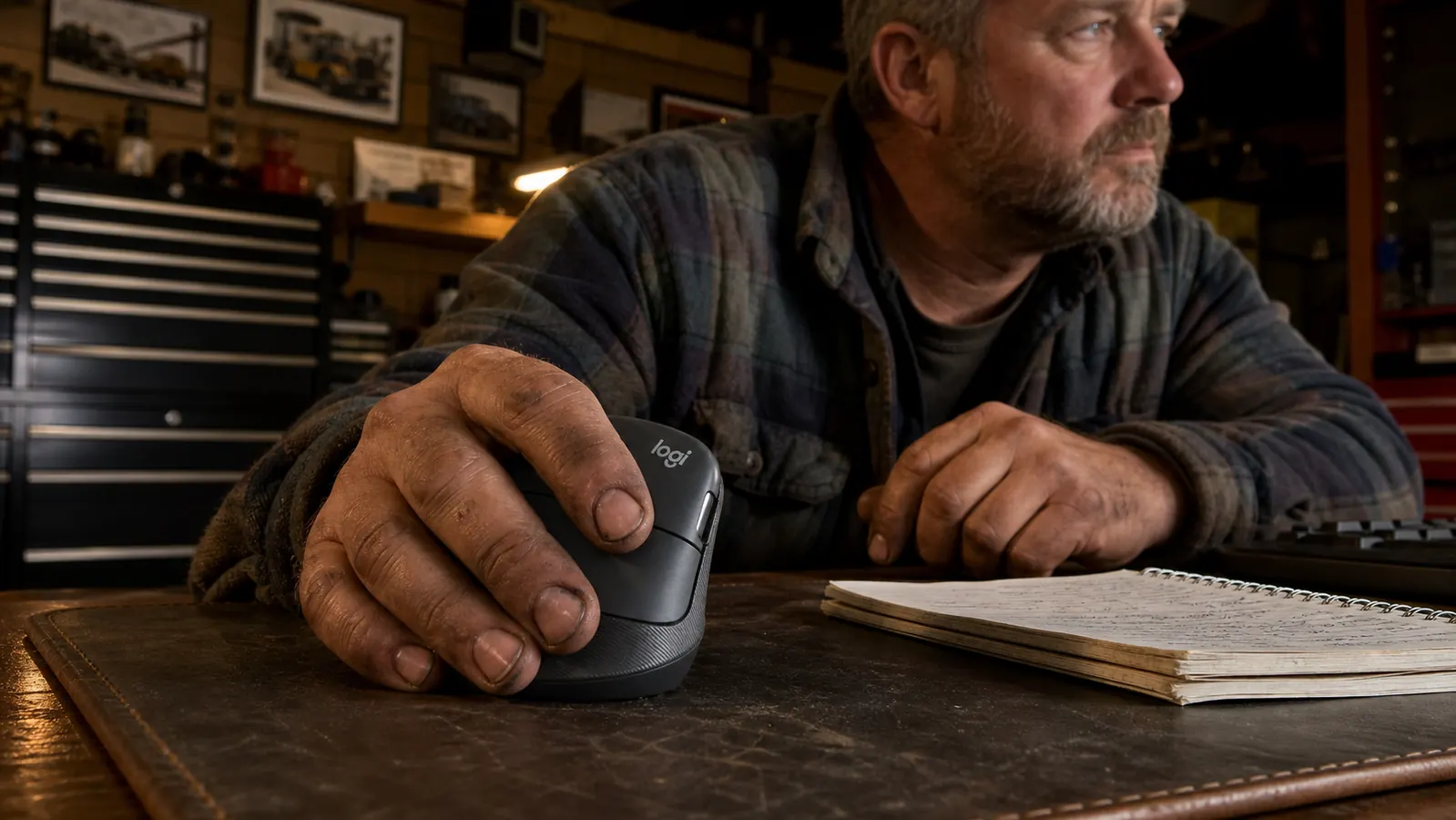
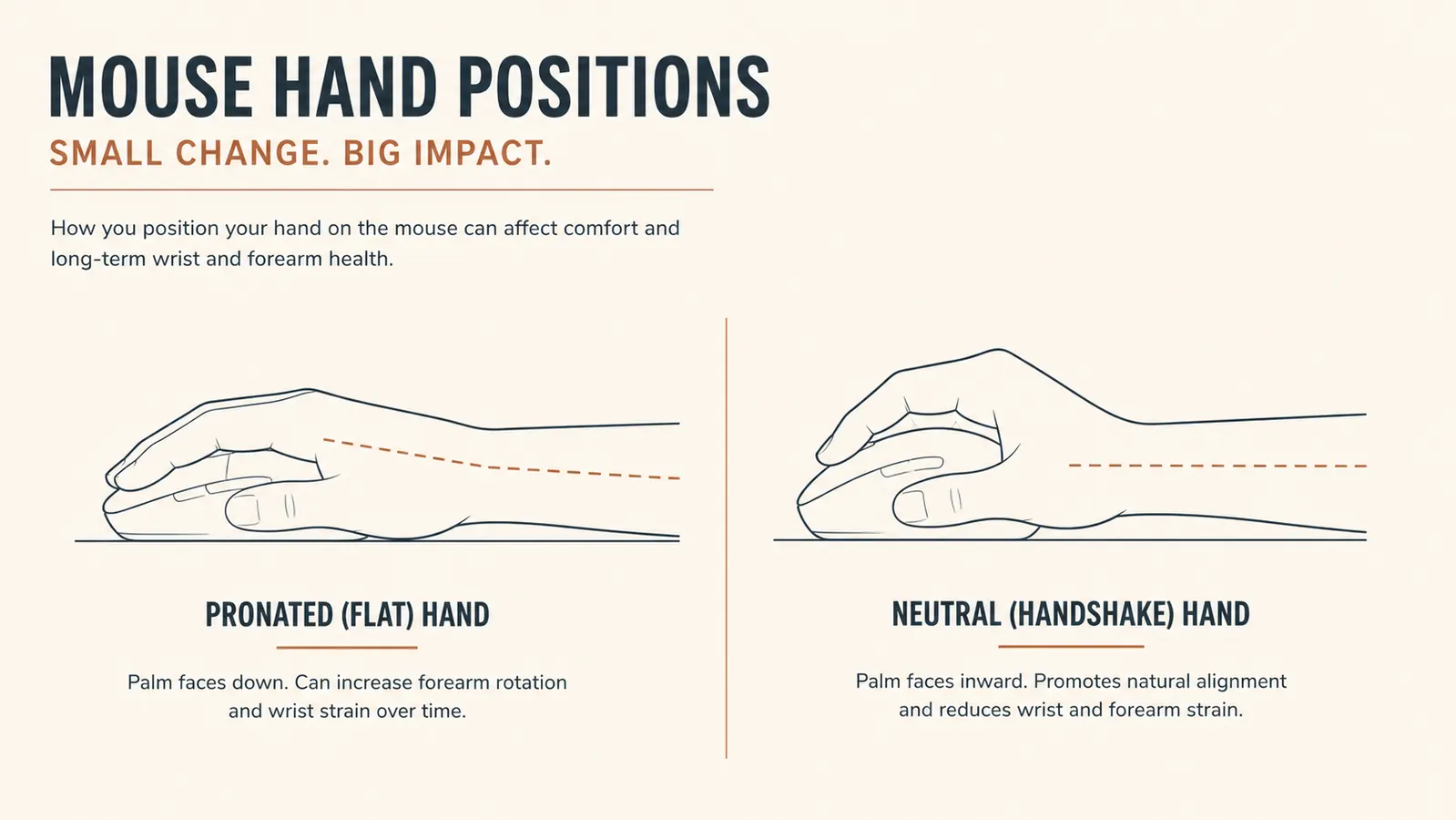
Here's the part that took me a while to believe, because it looks wrong at first. The bulk of the strain comes from how a flat mouse rotates your hand. When you grip a normal flat mouse, your palm faces down and your wrist ends up twisted and bearing your weight. Hold that pose for a few seconds and you feel the pull immediately, right along the outside of the forearm. Now stand your hand up on its edge like you're shaking hands with somebody. That upright angle is the neutral position your wrist actually prefers.
A vertical mouse is built to hold your hand in that handshake position instead of the flat, twisted one. The Logitech Lift is the one I settled on. The body is tall and angled so your palm rests against it naturally, and your thumb sits in a little rest on the side. It feels strange for maybe a day and a half, then it becomes background. The first evening I used it, the ache that had been nagging me all month just didn't show up the same way.
I'm not going to pretend a vertical mouse is some cure-all. It doesn't fix a bad chair or a screen that's too low, and it won't help if you already have a diagnosed wrist condition, see a real doctor for that. What it does fix is the specific strain that comes from a flat mouse on a long day. If that's the ache you have, this is the tool built for the job. I still prefer the feel of a normal mouse for the heavy drag-and-drop stuff, but for the daily grind of parts orders and quotes, the Lift stays on the desk.
Step 3: Match the mouse size to your hand
A vertical mouse only helps if it fits. The Lift comes in two sizes worth noting: a smaller one and a larger one, and which is right depends on your hand. My hands are big from turning wrenches, so I went with the larger body. If you press your hand into one that's too small, your fingers curl around and your wrist stays slightly bent. Too big and your hand overreaches. Either way you're back to fighting the tool instead of using it.
Here's how I checked the fit without a tape measure. I set my palm against the side of the mouse the way I'd rest it, then looked at where my fingers landed. The pads of my fingers should fall over the buttons without my thumb tucking too hard into its rest. If my fingertips hung past the edge or my thumb felt jammed, I knew the sizing was off. It's the same way I check a socket in my hand before I pull it from the tray. It should feel like it belongs there, not like I'm forcing it.
The other thing I checked was whether the buttons fell where my fingers actually rested. On a lot of cheap mice, the buttons sit high and your fingers have to reach up to click, which keeps your hand slightly tensed all day. On the Lift, the left and right buttons sit low, right where a relaxed finger naturally lies. That subtle difference is a big part of why the hand stays loose instead of hovering tensed over the work.
By the end of the first week, the ache that had been waking me up for a month was gone, and I hadn't changed anything else but the angle of my hand on the mouse.

Step 4: Set the pointer speed so your shoulder does the work
This was the step that surprised me the most, and it's the one nobody mentions in the reviews. Most people run their mouse pointer at a speed where they have to flick the whole mouse across the pad to cross the screen. That flicking motion comes from the wrist, and it's exactly the motion that churns up the soreness. The fix is counterintuitive: turn the pointer speed up, way up, until you're barely moving the mouse at all.
On the Lift this is easy because it has a button on the top that cycles through sensitivity levels, no software needed. I bumped mine to the fastest setting and suddenly I was steering the cursor with the whole forearm from the elbow and shoulder, not snapping my wrist back and forth. It took me an evening to get used to the faster pointer, and a couple of days before it felt natural. But once it did, my wrist finally stopped doing the heavy work.
If the fastest setting feels too twitchy for fine work, back it off one notch. You want the setting where you can reach the far edge of the screen with a small, relaxed arm movement and still hit a small button precisely. The right speed is the point where your wrist doesn't have to bend to reach anything. When you find it, you'll notice your whole arm is looser at the end of the day, not just your hand.
Step 5: Take real breaks and let it settle in
The last step is the one I was stubborn about, and it cost me. For the first two weeks I ran the Lift all day and expected the change to be instant. It wasn't. My hand had to unlearn a decade of bad habits, and my forearm stayed a little tender for a while because the muscle was working in a new position for the first time since I was a kid. If you switch and the soreness doesn't vanish in a day or two, that's normal. It's not a failure of the mouse, it's your body catching up. Give it a solid ten days before you judge it, and don't let one rough afternoon talk you out of it.
Breaks matter more than I wanted to admit. I'm a mechanic, I don't take many breaks when I'm deep in a job, and I carried that same habit to the desk. About once an hour I'd get up, walk out to the shop, and shake my hand out like I was tossing off a stiff glove. A minute or two every hour, that's all. Dozer learned to look up whenever I rose from the chair, hoping it was time for him to come along. Between the breaks and the new angle, the change finally stuck.
If you're already sore from a flat mouse, that's the strongest reason to make the switch early. The longer you grind through the pain, the more of a habit that twisted grip becomes. Six months from now you'll be glad you spent the effort now rather than nursing a stubborn forearm that never quite settles. That's the same reasoning I use before I pull a transmission: fix it right the first time, once, instead of nursing it for years.
What Else Helps
A vertical mouse is the biggest single change I made, but it wasn't the only one. Lifting my laptop up to eye level took the strain off my neck and shoulders, which in turn let my whole right side relax at the desk. I also stopped sitting in one position all afternoon; I'll stand for parts of the day now, same as I do in the shop when a job keeps me on my feet. Those little changes stack up faster than you'd think. The mouse handled the wrist, and the rest of it handled everything feeding into the wrist. If yours hurts, don't stop at the desk. Look up at the screen height, look down at your chair, and fix the chain of little angles that all point at the same sore spot.
Ready to stop fighting the flat mouse?
The Logitech Lift is what I reach for every day now, and it's the cheapest fix I found for a nagging forearm. It fits the hand like a proper tool, the pointer speed is one button away, and it holds up to a year of daily use. Check today's price and see if it's worth a spot on your desk.
Amazon Check Today's Price on Amazon →