
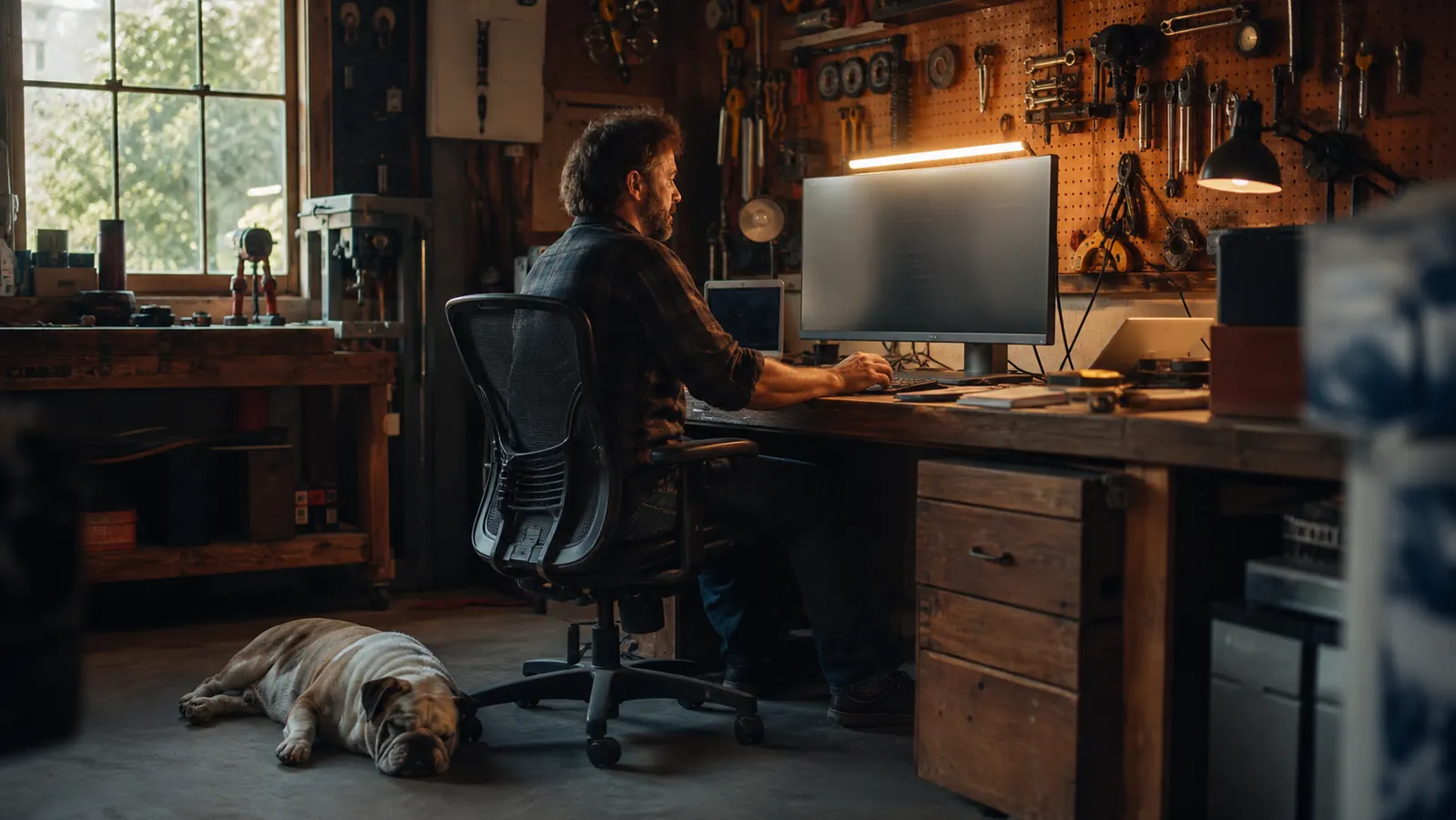
I remember the first night I sat down at the desk I built in the corner of my garage. I was finally on video calls instead of the phone, and the shop lights I'd hung for working on engines threw a hot yellow glare straight off my monitor. I could see my own face in the screen, the words on the order sheet washed out, and after two hours my eyes felt like I'd been underneath a truck all day with a trouble light in my face. There's a fix, and it's not another overhead light pointed at the ceiling hoping for the best. It's a monitor light bar, and specifically the Quntis that has sat on my screen every night for a year now.
I'm Walt, and this is the first office I've ever really had. I spent my whole working life under equipment, not at a desk. So when my eyes started aching, I did what I do with any problem: I figured out what was actually wrong before I bought anything. The problem isn't that your desk is dark. The problem is that the light is coming from where it shouldn't, bouncing off the screen into your eyes. A monitor light bar mounts on the top edge of your screen and throws light down onto the desk, not onto the glass. Here's how to set one up the right way, the first time.
The Quntis monitor light bar is the one I mounted and never touched again
It clamps onto the top of the monitor in about a minute, runs off the USB port on your screen or computer, and drops the light where the glare was. Check today's price and the current listings before you buy, since it moves around.
Amazon Check Today's Price on Amazon →Step 1: Figure out where the glare is actually coming from
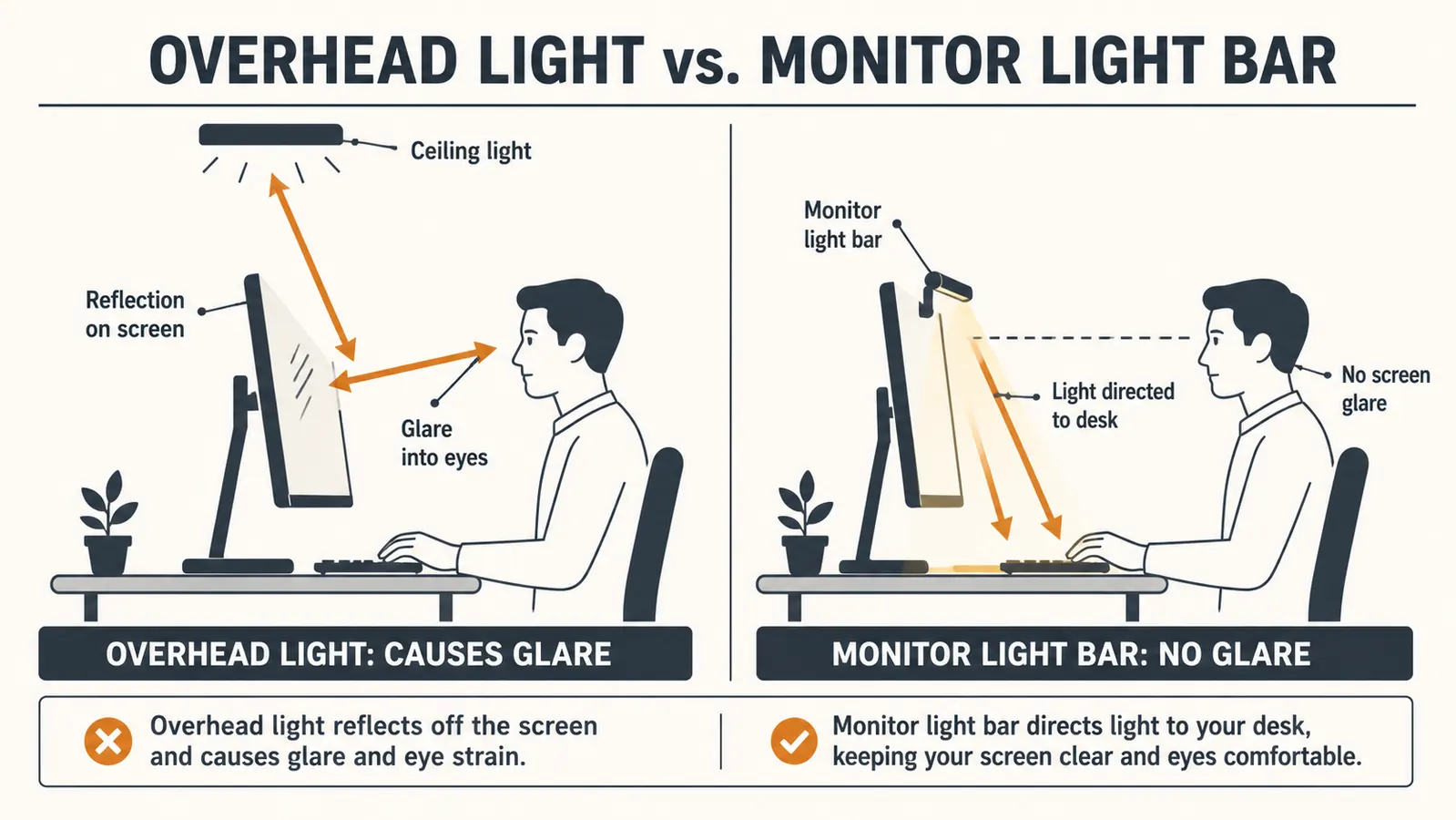
Before you mount anything, sit in your chair at your actual working height and look at your screen like you're about to start a shift. Now look up at the ceiling and note every light source you can see reflected in the glass. That reflection is your problem. It's not that the room is too bright or too dark. It's that a light source is sitting in the wrong place, usually an overhead fixture or a lamp off to one side, and it's bouncing back off the screen straight into your eyes.
Here's the thing about my garage: I have fluorescent tubes down the middle of the ceiling, great for finding a stripped bolt, terrible for looking at a screen. Every one of them showed up as a streak across the monitor. I could angle the screen to kill one tube, and then two more slid into view. The ceiling light was never going to win this fight, and pointing a desk lamp at the wall to bounce light just turned the whole room into one big dull reflection.
So do that diagnostic step first. Take a minute, learn exactly which lights are in the glass, and you'll understand why a monitor light bar works where everything else has failed. You're not adding more light to the room. You're removing the light that's in your face. That's the whole trick, and it's the difference between a setup that eases your eyes and one that just adds brightness.

Step 2: Pick the right spot and seat the bar on the monitor
The Quntis monitor light bar hangs on a weighted clamp that sits on the top edge of your monitor, right in the center. It needs a flat top edge to grip, which most desktop monitors have. If you're on a laptop, the better move is to raise that laptop to eye level first with a stand so you can seat the bar on the top edge of the laptop screen; a light bar fighting a laptop that's sitting low on the desk defeats the whole purpose. Get the screen up to where your neck is happy, then put the bar on it.
Seat it dead center and make sure the weight is gripping evenly before you let go. The mount has a counterweight under the clamp, which is what keeps the bar hanging where it belongs instead of flopping forward. This is the part most people skip and then complain about. Ninety percent of a bad first impression with a light bar comes from a bar that wasn't seated squarely, so it points crooked and leaves a hot spot on one side of your desk.
Plug the USB cord into the port on your monitor if it has one, or into your computer. The bar draws almost nothing, so it won't measurably load your laptop battery. You don't need an outlet, you don't need a power brick, and you don't need to run a cord across the desk. That's a big part of why I reach for mine every single night instead of the old desk lamp that took up space and threw light everywhere except where I needed it.
Step 3: Tilt the head so it lights the desk and not the glass
This is where the light bar earns its keep, and it's the step nearly everyone gets wrong. The head of the bar pivots. You want to angle it down so the light falls across your keyboard and the paperwork in front of you, and so the front edge of the bar itself shades the top of your monitor. When you get the tilt right, you should not see the bulb reflected in the screen at all. It should light the desk in front of you and stay out of the glass.
Here's how I check it: I sit down in my chair, look at the screen, and I shouldn't see the bar or its light in the reflection. Then I reach out and touch the keyboard without leaning into the light, and my hands should be lit. If I can see the bulb in the screen, I tilt the head down a degree or two and check again. On the Quntis, the bar is split into two halves that pivot independently, so on a wide monitor you can aim each side at your own work area. I angle mine so the light falls just past my hands, not into my face.
Give yourself a few minutes of fiddling here. This is the adjustment that separates a light that helps you see from a light that makes you squint. The whole point is that the bar sits between you and the glare, throwing light down while the front lip of the housing blocks the upward spill that would otherwise hit the screen. Get the tilt right and you've solved it; get it wrong and you're just back to a brighter room.

Step 4: Dial in the brightness and the color temp
Once the bar is seated and pointed right, set the light to match the room. The Quntis has a touch control that steps through brightness levels and a color temperature that goes from a warm amber to a colder daylight white. I keep mine on the warmer side at night and bump it up closer to a neutral white during the day when I'm reading parts catalogs. The setting you'll land on depends on your room, so don't take anyone's number as gospel, including mine.
The model I use also has an auto-dim setting that watches the room light and adjusts on its own. I'll be straight with you: I don't lean on it as heavily as some people do. The sensor does its job and keeps the light steady as the room changes, but I found I got the most comfortable result by setting the bar manually to sit just a touch below what I think I need. Eyes adjust down slowly, and a light that's a little too bright feels worse after an hour than one that's a little warm and low.
If you wear glasses, this step matters even more. If the bar is up too bright, you'll catch a faint glow off the edge of your lenses and wonder why your head still aches. Back it down to where your hands and your paper are lit and nothing is washing out. A good rule of thumb: if you can read the fine print on a wet order sheet without leaning in, you're set. That's the user test I use, and it's never failed me.
Step 5: Keep the rest of the room in the picture
The monitor light bar is the main event, but it's not the whole answer. I run mine alongside a dim work light behind the desk, the kind I already had hanging over my bench, so the room behind me has some soft light and the wall doesn't go black behind the screen. If I worked in a pitch-black room with nothing but the bar, the contrast between the bright monitor and the dark wall would make my eyes work harder than they should.
So put a soft light somewhere behind the screen, low and out of your eye line, and leave the overhead glaring tube off unless you're actually doing paperwork by hand. That ninety-degree balance is what a real office setup amounts to: one bright task light on the work in front of you, one soft fill light behind, and nothing shoving glare straight down your line of sight. Once I stopped fighting the ceiling light and set the bar up this way, the ache in my eyes stopped coming back at the end of the day.
And check in on yourself after a week. The best setup is the one that's boring, the one you set once and never think about again. If you're still adjusting the bar every night, you're chasing a problem that's not the light angle, and you'll want to look at your screen height and your seating next before you go back to buying gear. The light is usually the fastest win, but it's the whole bench that keeps you comfortable.
What Else Helps
A monitor light bar fixes the glare, but it can't fix everything, and I'd rather you know that up front. If your screen height is wrong, so the top of the monitor is above eye level or the bottom is way below, you'll still end up with a sore neck even with perfect lighting; raising the screen to eye level is the natural next project, and it's the one I paired with the light bar. If your mouse hand aches after long stints, that's the next thing to look at, and a vertical mouse that keeps your wrist in a straighter line is worth the switch.
I'd also tell you to be honest about your room before you add more gear. A monitor light bar earns its place on the bench because it solves a specific problem, the glare in the glass, and it solves it without taking up desk space or blooming light into the room. But if your desk sits under a window and the glare is daylight coming in sideways at certain hours, a light bar won't stop that. The answer there is a window covering and a position change, not another lamp.
If you're wondering whether the bar is worth it before you buy, I've got a longer write-up of the Quntis after a year of nightly use, and a straight comparison of a monitor light bar against a regular desk lamp if you're weighing the two. Both are honest about the tradeoffs. The short version is this: for the glare that lives in the glass, a monitor light bar does the job no desk lamp can reach, because it's not fighting the screen, it's working beside it.
I set the Quntis once, tilted the head down until I couldn't see the bulb in the glass, and I haven't touched it since. That's the whole test: a piece of lighting that stops needing my attention is a piece that's built right.
Give your eyes the same fix mine got
It seats on the monitor in a minute, runs off the USB port, tilts to stay out of the glass, and it's been loading my desk light every night for a year without a complaint. Course-correct your room the same way. Check today's price on Amazon before you order.
Amazon Check Today's Price on Amazon →